
App Redesign:
UX Overhaul
A redesign of a live web app with 1,000+ users, rebuilding the information hierarchy around how people actually use the product, then layering in the visual design that the original release never had.
The problem
The app was already live with over a thousand users on board, but it lacked UI/UX design as such, closer to the early table-based programs that have little to no visual accents. It attracted only those who are no stranger to tech and aren't repelled by interface complexity and feature density.
The brief was simple to state and hard to deliver: enhance usability through UI/UX without breaking flows the existing technical user base relied on. Anyone who already knew the product had to find their place faster, not slower.
The approach
Hierarchy by usage
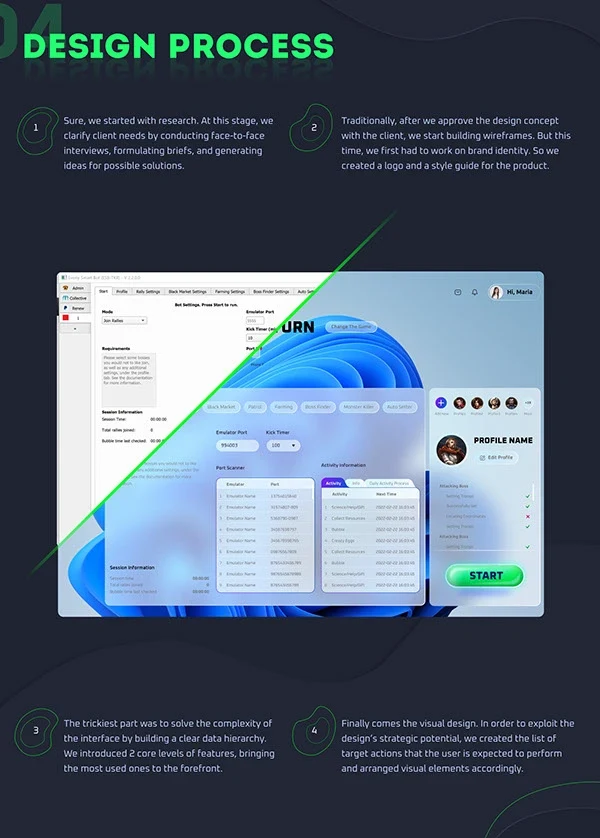
Segregated the most-used features and pulled them to the foreground. Secondary and tertiary tools moved into progressive surfaces so newcomers stop drowning in options on first open while power-users keep one-tap access to what they actually use.
Layout for mental models
Reorganised the layout around the user’s mental model of the workflow rather than the original engineer-led grouping. Every screen now answers "where am I, what can I do here, what’s next" before anything else.
Visual design as a feature
Added the visual layer the original release never shipped, type system, colour, spacing and component states, so the same interactions feel deliberate rather than improvised. Components were specced for the team’s engineers, not just shown in mocks.
Deliverables
- Information hierarchy
- UX flows
- UI system
- Visual design language
- Component library
- Screen specifications
Built with Adobe Photoshop, Affinity Designer and Figma, a full UI system and screen specs handed to the team's engineers, not just shown in mocks.
Selected screens

In the frames
What the gallery above actually shows, frame by frame.
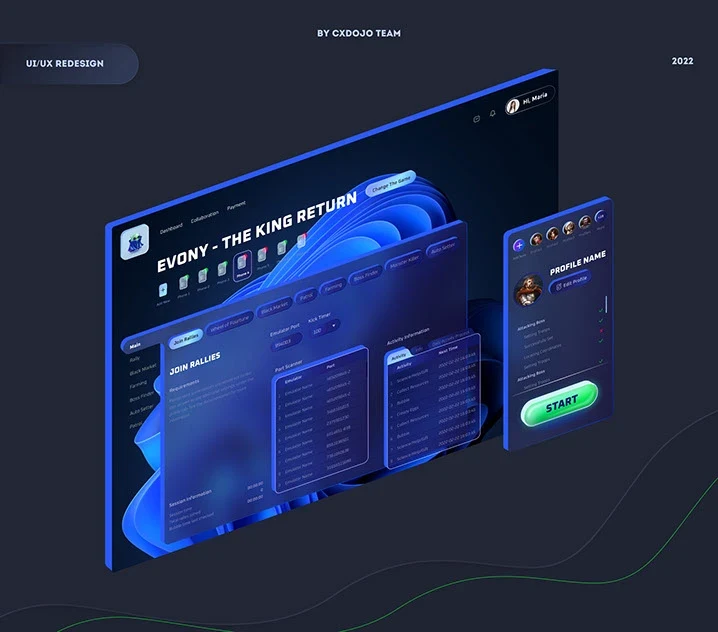
- The product: EAT, an emulator automation tool that runs Android game accounts from a Windows desktop. The first release was built by the founder, a software engineer, and looked it: dense tables, no visual hierarchy, no design layer.
- The redesigned dashboard: a dark interface with one blue accent and two unmistakable controls, green Start, red Stop, because those are the two actions every user takes most.
- The main tab reorganised around the workflow: each in-game activity gets its own tab, with quick-start and quick-stop for whatever is already running, so the everyday loop is one screen.
- Multi-device control: up to ten emulated phones from a single view, where the original could run one; a notification panel keeps updates from active games in sight without switching pages.
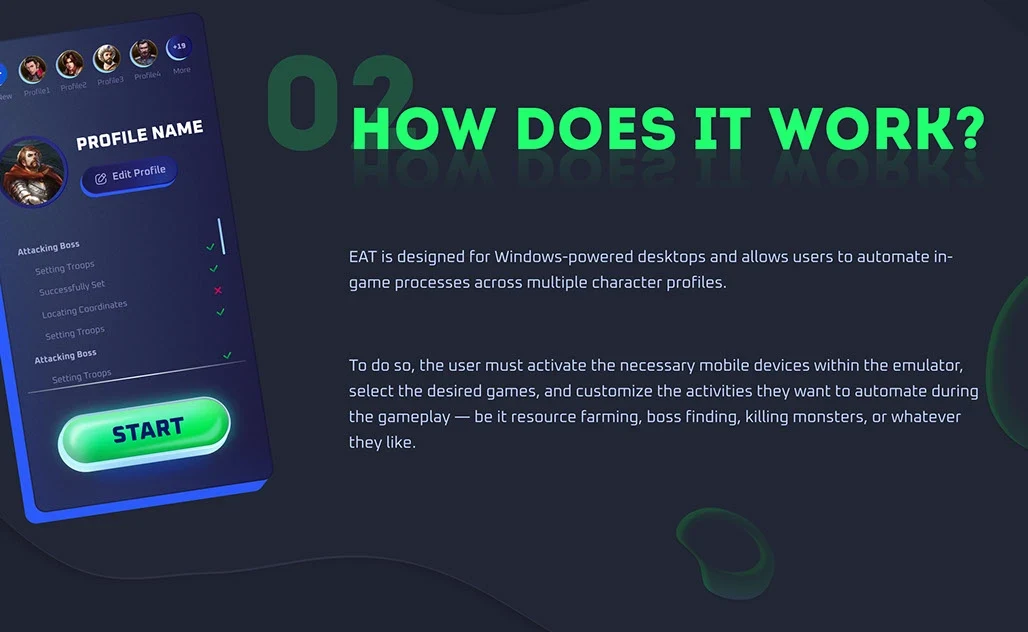
- Profile editing for up to 19 character profiles, the power-user surface that had to stay one tap away rather than get tidied out of reach.
Where this sits in our work today
A live product with real users whose habits must not break is the majority of the studio’s UI/UX work today, redesigns of shipped software rather than blank canvases. This case is exactly that shape: hierarchy by usage, layout by mental model, visual design added as a feature, components specced for the engineers rather than shown in mocks.
SaaS UI/UX design agency published range $2k-$15k typically 4-5 weeks all prices
Who an engagement like this fits
- The product is already live and the problem is the hierarchy, not the pixels, people can do the thing, but they cannot find it.
- You can give access to how the product is actually used. This engagement started from real usage, not from a persona document.
- You would rather ship the redesign in slices than stop the roadmap for a big-bang relaunch.
If none of these describe you, say so on the free 15-minute audit and we will tell you what would fit, including when the answer is not us.
Frequently asked
Who did the work on the app redesign?
The CXDojo team, design led by Mariia and co-authored with Olena Khozhylina, in 2022. The approach: hierarchy by usage, layout by mental model, visual design as a feature, is the one Funky Rabbit's UI/UX engagements run today.
What was the product?
EAT, an emulator automation tool for Android games on Windows desktops: it runs several emulated phones at once and automates in-game activities. It was live with over a thousand users and had been built by its founder, a software engineer, with no UI design layer at all.
How do you redesign a live product without losing its power users?
Hierarchy by usage: the most-used actions stay one tap away, secondary tools move into progressive surfaces, and the layout follows the user's mental model of the workflow instead of the original engineering grouping. Existing users find their place faster, not slower, that was the brief's hard constraint.
What would a similar redesign cost today?
Product interface work sits under UI/UX Design on our pricing page: $2k-$15k. A focused dashboard refresh lands at the low end; a multi-surface product with onboarding, settings and admin at the high end.
Related
Adjacent reading, work, and routes to explore next.
Got something like this on your plate?
30-min discovery call. We'll tell you whether we're a fit and, if not, what kind of partner you should be looking for.
Just want the numbers? Every price is published.