
How to Redesign an App: Process, Cost & a 7-Step Guide
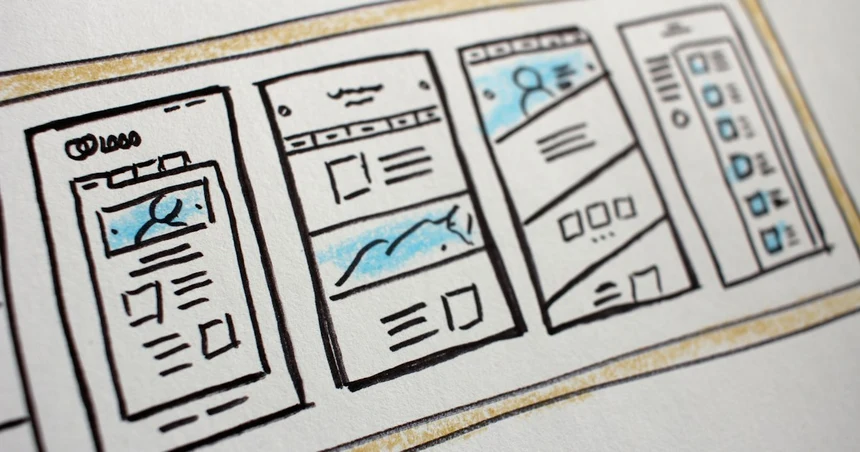
An app redesign is not a fresh coat of paint. It’s a decision to change how your product works, looks, or is structured because the old version is costing you something measurable: users, revenue, dev velocity, or credibility. Done right, it’s one of the highest-leverage moves a product team can make. Done wrong, it’s an expensive way to make your app look different while performing exactly as badly as before.
Here’s the expensive mistake nearly every team makes: they redesign the skin, not the system. They hire someone to “make it modern,” get a prettier UI, ship it, and wonder why retention didn’t budge. The interface changed; the confusing navigation, the broken onboarding, the flow that takes seven taps to do one thing, all still there, just in a nicer font. A real app redesign starts with the system underneath: the information architecture, the core flows, the reasons people churn. The visuals come last, not first. This guide walks you through how to redesign an app the way a studio that designs products for real releases does it, including honest numbers on cost, timeline, and risk.
When to redesign your app (and when NOT to)
Most redesigns are triggered by a feeling (“it looks dated”) rather than a signal. Feelings are a terrible reason to spend five figures. Here are the triggers that actually justify a redesign, and the ones that should stop you cold.
Redesign when you hit one of these:
- You’ve hit a retention cliff. Users sign up, poke around, and vanish before they reach value. If your day-7 or day-30 retention is bleeding and your funnel analytics point at specific screens where people drop, that’s a structural problem a redesign can fix. This is the single best reason to redesign: there’s a number attached and you can prove the fix worked.
- Feature sprawl has buried the core. You shipped feature after feature, each bolted onto the last, and now the thing your users actually came for is three menus deep. When the navigation can’t hold the product anymore, no amount of tidying helps, the IA needs rethinking.
- You’ve found product-market fit and now you’re scaling. The scrappy UI that got you to your first thousand users won’t carry you to a hundred thousand. Post-PMF is the right moment to invest in a design system, consistent patterns, and flows built for people who aren’t early-adopter enthusiasts willing to forgive rough edges.
- Brand drift. The product looks like a different company than your website, your pitch deck, and your positioning. For a SaaS selling trust, that gap quietly erodes conversion. If the app feels off-brand next to everything else you put in front of a buyer, a redesign realigns them.
Do NOT redesign when:
- You’re chasing a trend. Glassmorphism, then neumorphism, then bento grids, then whatever’s next. If the only argument is “this style is hot right now,” you’re buying a redesign with a shelf life of eighteen months. Trends are a reason to refine, never to overhaul.
- A new exec wants to leave a mark. The classic vanity redesign: someone senior joins, and the product must be reborn in their image. This burns budget and disrupts users who were perfectly happy. If there’s no user-side or business-side signal, it’s politics wearing a design brief.
- A competitor did it. Their redesign might be solving their problem, which is not your problem. Copying a competitor’s UI copies their trade-offs without their context. Watch competitors for ideas, not marching orders.
The honest filter: if you can’t name the metric that will move, you’re not ready to redesign. You’re ready to run more analytics.
If you want to see these triggers on products you already use, we walked through seven famous apps that need a redesign, the pattern behind each one is the pattern to look for in your own.
One more test we apply before quoting anyone: is the pain growing? A retention cliff that’s stable is annoying; a retention cliff that’s widening every month as you spend more on acquisition is a fire. Redesigns pay back fastest when they’re stopping active bleeding, because the improvement compounds against every new user you acquire afterward. If the problem is flat and tolerable, you can often wait, ship a smaller fix, and put the budget somewhere with a sharper return.
Types of app redesign
“Redesign” covers everything from a two-week color-and-type update to a six-month rebuild. Lumping them together is how you end up either overpaying for a facelift or under-scoping a rescue. There are four distinct types, and the difference between them is how deep the change goes, from pixels down to architecture.
- Visual refresh: the surface only. New colors, typography, spacing, iconography, component styling. Flows and structure stay exactly where they are. This is what most people mean by “make it modern,” and it’s the right choice when the product works but looks tired.
- UX-flow redesign: you keep the overall structure but rebuild specific journeys: onboarding, checkout, the core task loop. This is where retention problems get solved, because you’re changing what people actually do, not just what they see.
- Structural (IA) redesign: you rethink the information architecture: navigation, hierarchy, how features are grouped and surfaced. This is the fix for feature sprawl. It touches nearly every screen because you’re moving the furniture, not repainting it.
- Full rebuild: new IA, new flows, new visual system, often a new front-end codebase. Reserved for products that have outgrown their foundations or accumulated so much debt that patching costs more than replacing. High reward, high risk: treat it like launching a new product.
| Type | What changes | Typical timeline | Risk to existing users | Where it sits in our published pricing |
|---|---|---|---|---|
| Visual refresh | Colours, type, spacing, components, surface only | 2-4 weeks | Low | Lower end of UI/UX, $2k-$15k |
| UX-flow redesign | Onboarding, checkout, core task flows reworked | 4-8 weeks | Medium, familiar screens change behaviour | Middle of the same range |
| Structural (IA) redesign | Navigation, hierarchy, feature grouping across the app | 8-14 weeks | Medium-High, everything moves | Top of the range, or a multi-surface programme |
| Full rebuild | New IA + flows + visual system + often new front end | 3-6 months | High: it is effectively a new product | Multi-surface, $25k+, plus the engineering build |
The most common scoping error is picking a type based on budget instead of the problem. If your issue is retention and you buy a visual refresh because it’s cheaper, you’ll spend the money and still have the retention problem. Match the type to the signal from the section above.
These types also stack in one direction only. A structural redesign always includes new flows and new visuals; a flow redesign always includes some visual work. You never buy an IA overhaul and then bolt the visuals on separately: that’s how you end up paying twice. So scope up to the deepest layer your problem touches and let the shallower layers come with it. If you’re genuinely unsure which layer your problem lives in, that uncertainty is itself the signal that you’re still in Step 1 territory and need the audit before you commit budget.
How much does an app redesign cost?
Let’s talk numbers, because almost nobody in this industry will. Ours are published and they are the ones we quote: a UI/UX engagement runs $2k-$15k and a mobile app design engagement $5k-$20k, with multi-surface programmes above that. Every range on this site sits on one pricing page, the same numbers for every visitor.
Where your project lands inside those ranges follows the depth you actually need:
- Visual refresh: the lower end. A few weeks of focused design work, a small component set, handoff. Cheaper if you already have a design system; more if every screen is bespoke.
- UX-flow redesign: the middle. Research, flow mapping, wireframes, prototypes, usability testing, and polished UI for the flows in scope.
- Full overhaul (structural + visual), the top of the range and, past a certain screen count, a multi-surface programme. Full audit, IA rework, a real design system, testing, phased delivery.
What actually drives the number: the number of unique screens and states (empty, loading, error, and edge cases quietly triple the surface area), the depth of research and testing you want, whether you need a reusable design system or just a set of screens, and how much developer-ready specification the deliverable includes. Platform matters too: a design that has to work across iOS, Android, and web costs more than one that ships to a single platform.
Now the part that’ll save you money: “it depends” is a red flag, not an answer. When an agency refuses to give you any number until after a paid discovery phase, they’re either not confident in their process or they’re planning to anchor high once you’re committed. A studio that has done this before can give you a scoped range in the first conversation. That’s why we publish our pricing publicly, fixed scope, fixed number, no discovery-call theatre required to find out if you can afford us.
For context on the rest of the market, the honest answer is that almost none of it prints a number, so any table of “typical agency rates” you find: including the ones on agency blogs, is an estimate of other people’s quotes rather than a published price. What is safe to say is the shape: a freelancer is the cheapest and you are betting the project on one person’s calendar; a boutique studio gives you senior people who are accountable end to end; a large agency charges for account managers and layers as well as for design. When you compare quotes, compare what is in them, screens, states, research, a design system, developer-ready specification, because that is where the differences actually sit. We wrote the same exercise out with sourced figures for brand work in what SaaS branding costs.
A word on the hidden costs nobody quotes for. The design fee is rarely the whole bill. Budget for engineering time to build the redesign, a good rule of thumb is that implementation costs at least as much as the design, often more. Budget for the QA and bug-fix tail after launch, and for the support load during rollout while users relearn the app. And budget a little for the design system to be maintained, because a component library that nobody owns quietly rots back into inconsistency within a year. When you compare quotes, make sure you’re comparing the total cost of shipping the redesign, not just the cost of the pretty files.
How to redesign an app: a 7-step process
This is the process we run on every project. It’s deliberately front-loaded with research and testing, because the cheapest time to fix a bad decision is before anyone writes code. Skip the early steps and you’ll pay for them later, with interest. The order matters as much as the steps themselves: every step below produces the input the next one needs, so jumping ahead means designing on guesses instead of evidence.
Step 1: Audit the current app and pull the data
Before you touch a single screen, find out what’s actually happening. Pull your analytics for funnel drop-off, screen-level engagement, and the flows people abandon. Watch session recordings until patterns emerge: you’ll see rage-taps and dead ends no analytics dashboard surfaces. Read your support tickets and app-store reviews and tag them by theme; your angriest users are your best free research. The goal here is evidence, not opinions. If you take one thing from this whole guide, take this: the redesigns that fail are the ones that skipped this step and started with a mood board.
Step 2: Define what the redesign must fix (measurable goals)
Turn the audit into two or three specific, measurable goals. Not “make it more intuitive”: that’s unfalsifiable. Instead: “lift day-7 retention from 22% to 30%,” or “cut onboarding drop-off from 40% to under 25%.” These numbers become the definition of done and the yardstick you’ll measure against in Step 7. If a proposed design change doesn’t serve one of these goals, it doesn’t make the cut.
Step 3: Map the information architecture and core flows
Now design the skeleton. Rework the IA so features are grouped the way users think, not the way your org chart is structured. Map the core flows: the two or three journeys that generate most of your value, step by step, and count the taps. This is where the biggest wins hide: removing a step from your most-used flow beats any amount of visual polish. Do this in low-fidelity boxes and arrows, fast and cheap, before anything gets pretty.
Step 4: Wireframe and prototype the priority flows
Build clickable wireframes of the flows you mapped, grayscale, no brand, no distraction. Then prototype them so they’re tappable on a real device. A prototype in someone’s hand tells you in ten minutes what a static mockup can’t tell you in a week. Prototype the priority flows first; you don’t need every edge-case screen to start learning whether the core experience works.
Step 5: Apply the visual and brand layer
Only now do the pixels get their moment. Layer on the visual system, color, typography, spacing, motion, iconography, and align it with your brand so the product stops feeling like a different company. Build it as a reusable component set, not a pile of one-off screens, so your team can extend it after we’re gone. The visual layer should make the validated structure feel effortless, never compensate for a structure that doesn’t work.
Step 6: Usability-test with real users before you ship
Put the high-fidelity prototype in front of five to eight real users from your actual audience and give them real tasks. Watch where they hesitate, where they tap the wrong thing, where they go quiet. Five users will surface the overwhelming majority of serious usability problems, this is the cheapest insurance you can buy against shipping a confident mistake. Fix what testing reveals, then test the fixes.
Step 7: Ship in phases and measure against the Step 2 goals
Do not big-bang a redesign onto your entire user base. Roll it out in phases or behind a flag to a percentage of users, watch the metrics from Step 2, and confirm the change moves them the right direction before going wide. If retention or conversion drops, you catch it on 10% of users, not 100%. A redesign isn’t finished when it ships: it’s finished when the numbers you set out to move have actually moved. Expect a short novelty dip as your existing users relearn the app; give the metrics two to four weeks to settle before you judge the outcome, and only then decide whether to roll to 100% or iterate.
A real example: our 1,000-user app UX overhaul
We put this exact process to work on a product with around a thousand active users that had a clear retention problem and a UI that no longer matched the business behind it. We audited the data, rebuilt the core flows, aligned the visual system to the brand, and tested before shipping, the full seven steps, not a facelift. You can read the whole thing, with the decisions and the outcomes, in our app redesign case study.
Frequently asked questions
How long does an app redesign take?
It depends on depth, but here are honest ranges: a visual refresh runs 2-4 weeks, a UX-flow redesign 4-8 weeks, a structural IA redesign 8-14 weeks, and a full rebuild 3-6 months. Most SaaS products land in the flow-redesign band. The single biggest timeline variable is how many unique screens and states you have, since empty, loading, and error states quietly multiply the work.
How much does an app redesign cost?
Ours are published: a UI/UX engagement runs $2k-$15k and a mobile app design engagement $5k-$20k, with multi-surface programmes above that. Where a project lands inside the range is driven by screen count, research depth, and whether you need a reusable design system rather than a set of screens. Beware anyone who will not give you any range before a paid discovery phase, a studio that has done this before can scope you in the first call, which is why our numbers are on the pricing page rather than behind one.
Will a redesign hurt my existing users?
It can, if you big-bang it, sudden change disorients loyal users and spikes support tickets. That’s exactly why we design the rollout in phases, so your team can ship behind flags, and keep familiar patterns for high-frequency actions. A visual refresh carries low risk; an IA overhaul carries more, because you’re moving things people have memorized. Communicate the change, offer a brief way to relearn, and watch your metrics as you roll out.
Should I redesign or rebuild from scratch?
Rebuild only when patching costs more than replacing, when the codebase or architecture actively blocks the changes you need, not just when the app looks dated. If the foundations are sound and the problem is flows or visuals, a targeted redesign is faster, cheaper, and far less risky. Rebuilds are effectively new product launches, so treat that decision with the same seriousness. When in doubt, redesign the flows first and let the results tell you whether a rebuild is really warranted.
How do you measure if a redesign succeeded?
You measure against the specific goals you set before designing anything, retention, conversion, task-completion rate, support-ticket volume, whatever the audit flagged. If you didn’t define measurable targets up front, you can’t prove success, which is why Step 2 of our process is non-negotiable. Compare a clean before-and-after window on the same metric, and give it enough time for the numbers to stabilize past the novelty bump.
Thinking about redesigning your app? Our app redesign services page is this process as an engagement, four depths, the phased rollout that keeps your users, and the published price. We’re a founder-led studio: Mariia leads every project, our prices are public, and our process is the one you just read. If you want a straight answer on scope, cost, and whether a redesign is even the right move for you, book a 30-min consult, or take a closer look at how we handle mobile app design.
Not ready to talk? Get a free 15-minute audit or see real prices.